Willdou

1. Decide what the tools need to answer
Most beginners need answers to four questions: can search engines reach my pages, are my titles and descriptions clear, are people finding the site for the right topics, and is the site fast enough on a phone. Pick one free tool per question instead of collecting ten dashboards.
Free tools usually limit how many pages they crawl, how often you can run them or how much history they keep. That is fine for a small site, as long as you treat the limits as a boundary and not as a flaw.
2. Start with a free SEO audit
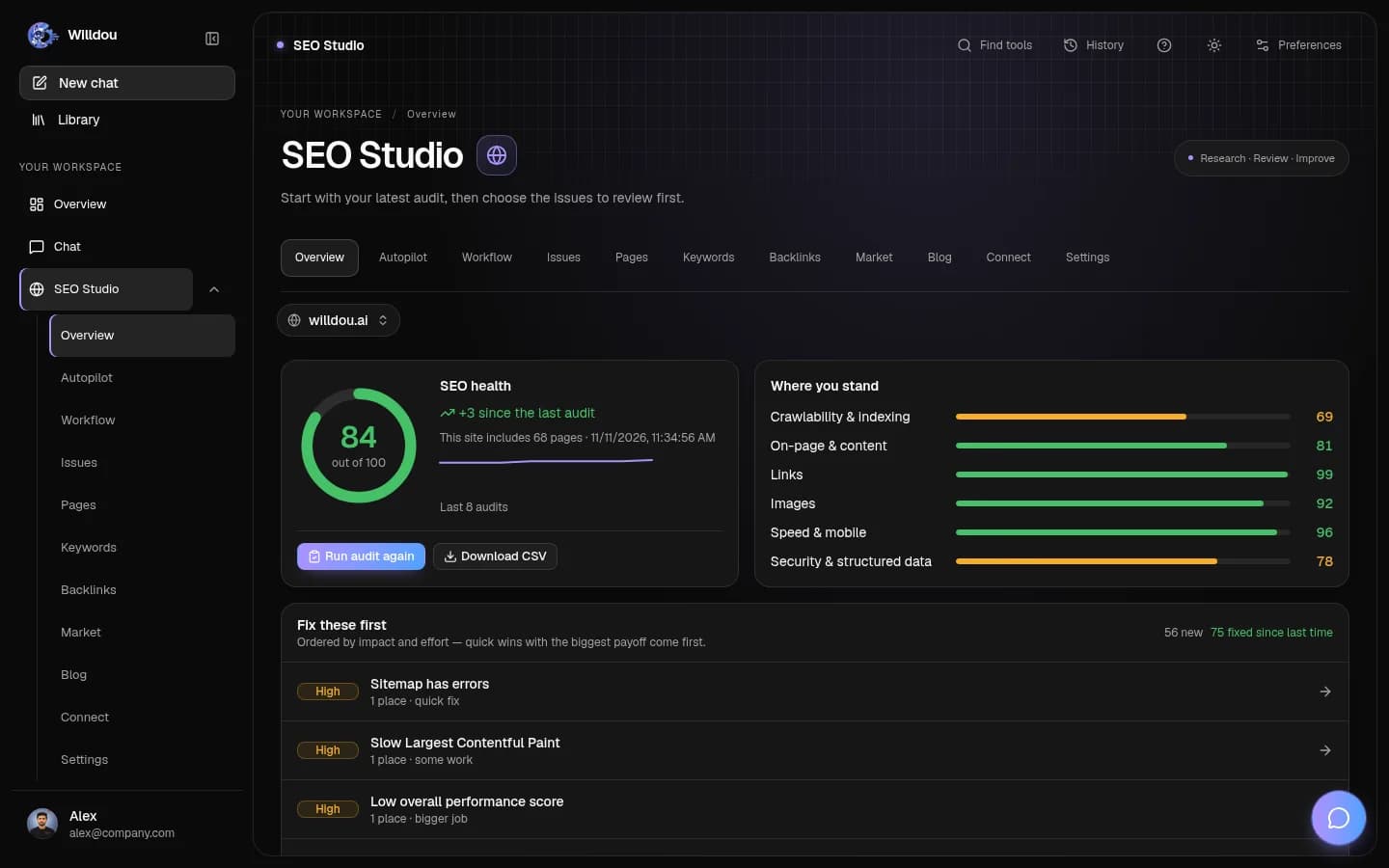
A free SEO audit crawls your public pages and lists technical and on-page problems: missing titles, duplicate descriptions, broken links, images without alt text and slow pages. In Willdou, the Free plan includes one website connection and manual SEO audits in SEO Studio; check Pricing for the current crawl limits.
Read the affected URLs, not only the score. A score is a summary of the issues found, not a prediction of rankings. Fix access problems first, then repeated template issues that touch many pages at once.
- Add your public website URL and run a manual audit.
- Sort issues by severity and open the highest ones first.
- Fix one group of issues, then run the audit again to confirm.

3. Add Google Search Console for real search data
Search Console is free and shows the queries that already bring impressions and clicks to your site, which pages are indexed and which are not. It is the closest thing to first-party evidence about how Google sees you.
Submit your sitemap there and check the indexing report after each round of fixes. New sites need patience: data appears over days and weeks, not minutes.
4. Check speed and mobile with a free test
Run a free page speed test on your most important pages and compare mobile results, not only desktop. Large uncompressed images, heavy scripts and layout shifts are the most common causes of slow pages on small sites.
Treat lab scores as a diagnostic. Real visitor data from Search Console's Core Web Vitals report matters more when it is available.
5. Turn the tools into a weekly routine
Pick one fixed time each week: run the audit, check Search Console for new errors, fix two or three items and write them down. Small repeated improvements beat a single large clean-up that never gets repeated.
Free tools cannot do the judgment work for you. Decide what each page is for, write for the visitor first, and use the tools to catch what you would otherwise miss.
Common questions
What is the best free SEO tool for a new website?
Start with a free site audit plus Google Search Console. The audit finds technical and on-page problems; Search Console shows how Google actually indexes and shows your pages.
Are free SEO tools good enough?
For a small site, usually yes. Limits on pages crawled and history matter more as a site grows. Treat any score as a diagnostic, not a ranking guarantee.
Can I run a free SEO audit in Willdou?
The Free plan includes manual SEO audits and one website connection. Live changes require a configured connection and your approval; see Pricing for current limits.
Sources and further reading
Tool availability depends on service configuration, connection permissions and your account plan. Check current plans.
Start with one useful task
Follow the screenshot guide and try these steps in your own workspace.