 Willdou
Guides
From first login to useful work.
Setup instructions, expected results and troubleshooting for Chat, SEO Studio, Social Studio and their automation settings.

Getting started with Willdou
Create your account, choose a module and complete your first task in just a few minutes.
02SEO Studio guide for website audits
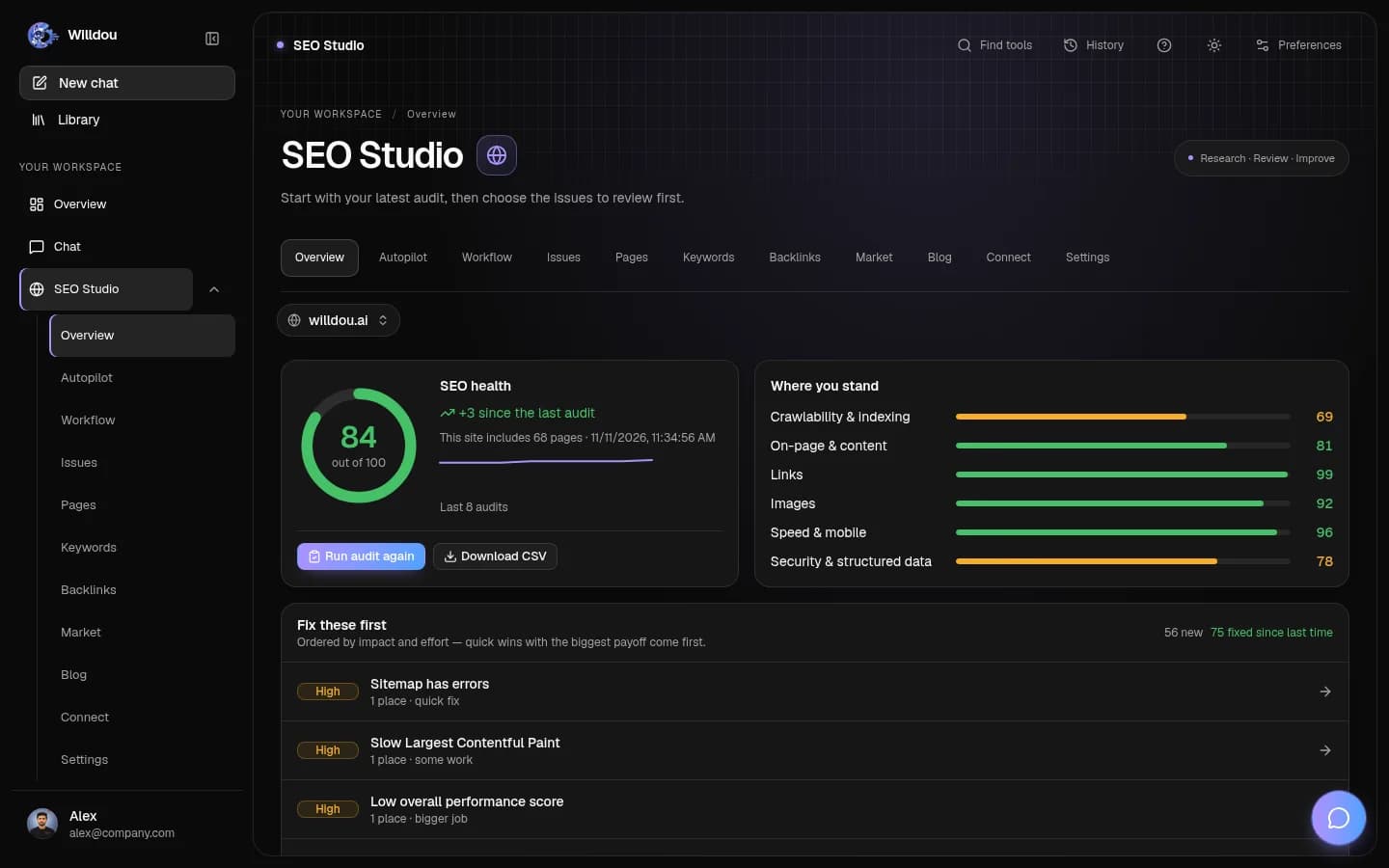
From a public website audit to evidence-backed fixes, ranked by impact.
03Social Studio guide for content review
Generate, edit and review social content drafts before supported publishing.
04AI Chat guide for research and writing
Ask questions, attach context, and return to a conversation whenever you need to.
05Automation setup guide for SEO and social
Configure controlled, opt-in automation for your existing SEO and social workflows.
06Your workspace overview
Understand website scores, SEO progress and social content status, then choose your next step.
Willdou
Built around a review step
Generated content is a draft. Website changes are proposed first unless you explicitly enable an automation. Review the scope before connecting or approving.
Questions before you start
Practical answers for this page and your next step.
Do the walkthroughs use real product screens?
The guides show the platform interface and describe the controls to use. Your available tools can differ with permissions, connection state and service configuration.
Can I start without connecting an account?
Yes. Chat can start immediately, a read-only SEO audit needs a public URL, and caption generation can produce a draft before you connect a social account.
Does anything change on my site or socials automatically?
Review comes first by default. External changes require your approval or an automation you explicitly enable. Check the scope of each setting.