Willdou

1. Choose the website and the pages that matter
Start with your homepage, main service or product pages, contact page and a few useful articles. Write down what a visitor should be able to do on each page. A technically perfect page still needs a clear purpose and a useful answer.
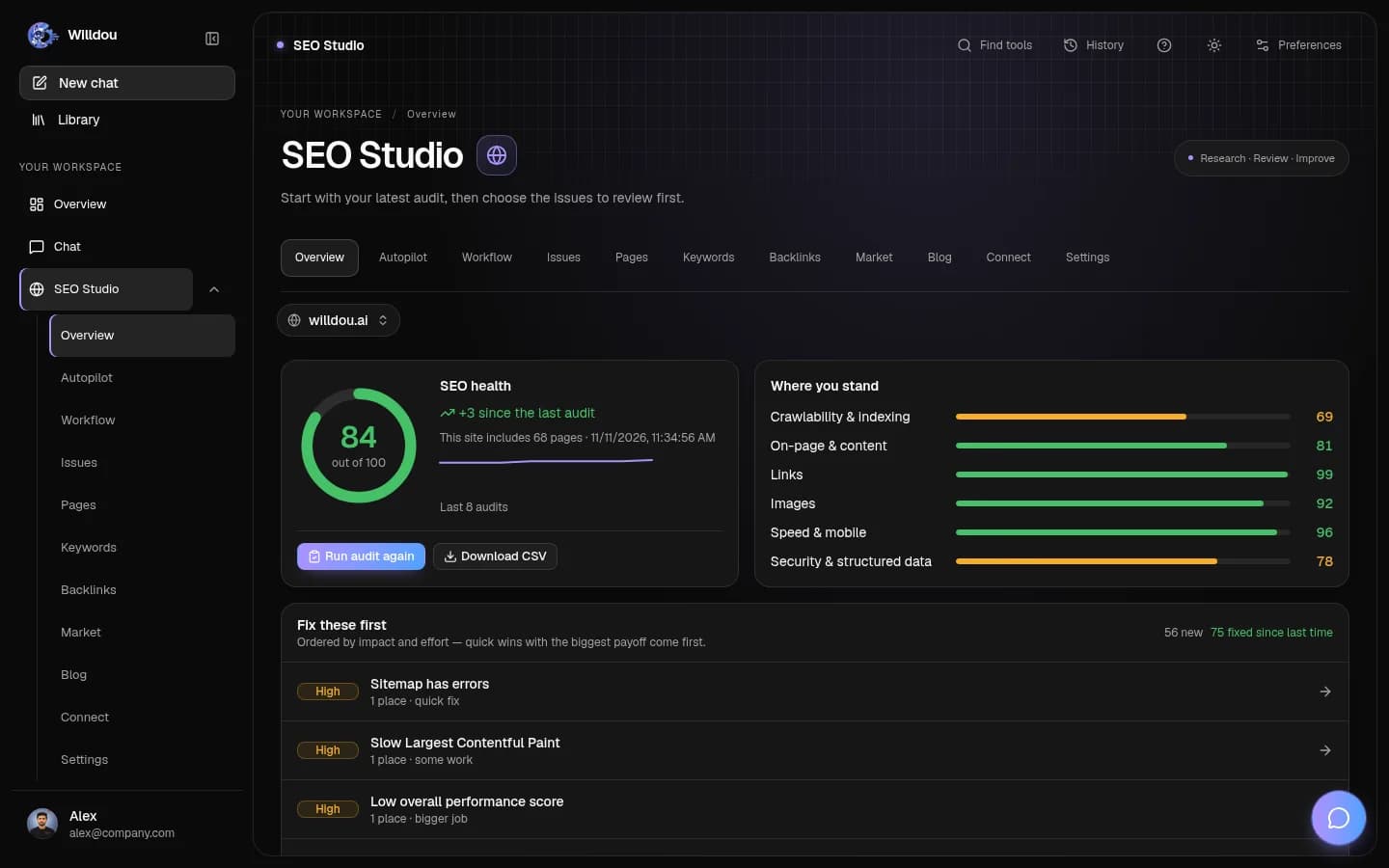
In Willdou, open SEO Studio and add a public website URL. Set a sensible crawl limit and run a manual audit. The Free plan includes one website connection and manual SEO audits. Check Pricing for current limits; a free audit is not a promise of unlimited crawling or automatic fixes.
2. Check whether search engines can reach the content
Review failed requests, broken internal links, unexpected redirects and indexing directives before editing individual keywords. A page that is blocked, missing or unintentionally marked noindex needs attention before a title rewrite.
Compare the canonical URL with the page you intend to index. Include important public pages in your sitemap, and keep account pages and private workspace data out. A sitemap helps discovery; it does not guarantee that a search engine will index every URL.
- Open the audit results and inspect the affected URLs rather than just the overall score.
- Check one representative page in your browser and review its title, heading and main content.
- Group repeated issues by template so you can fix the cause across related pages.

3. Review titles, headings and internal links
Use a specific page title that describes the page's job. Write one clear main heading, then organize supporting sections around the questions a reader actually has. Avoid repeating a keyword in every heading or adding a list of unrelated search terms at the bottom.
Make important pages reachable through ordinary links with descriptive labels. Add helpful image descriptions where the image carries information; decorative artwork can use empty alt text. These details make the page easier to understand for readers, assistive tools and search systems.
4. Test the mobile experience before chasing a score
Open the page on a narrow screen. Check whether the menu closes cleanly, whether the text fits, and whether forms and primary buttons can be used without zooming. A test on a real phone often reveals problems that a single desktop score misses.
Use Core Web Vitals to investigate loading, interaction responsiveness and layout stability. Field data reflects actual visits; a Lighthouse run is a controlled test. Keep those two kinds of evidence distinct. Resize large images, reserve their dimensions and defer nonessential interface code before removing useful content just to improve a synthetic score.
5. Prioritize, review and verify each change
Keep a small queue: access failures first, then high-value page content, then repeated template and performance issues. Record the affected URL, what will change and how you will check it. An audit score is a diagnostic summary, not a forecast of Google rankings.
Review proposed changes before applying them to WordPress or another connected site. Access and permissions must be configured for live changes. Re-run the relevant check after a change, compare the result with the previous audit, and use the saved previous value if a supported change needs to be reverted. Manual audits and unattended automation are different workflows; configure schedules deliberately.
Common questions
Can I run a free SEO audit in Willdou?
The Free plan includes manual SEO audits and one website connection. Current crawl and account limits are shown in Pricing. Live changes require a properly configured connection and permission.
Will fixing every audit issue guarantee a higher ranking?
No. Audit findings help you identify technical and content problems. Rankings also depend on the usefulness of the page, competition and the search system's evaluation.
Sources and further reading
Tool availability depends on service configuration, connection permissions and your account plan. Check current plans.
Start with one useful task
Follow the screenshot guide and try these steps in your own workspace.