Willdou

1. Find where your time actually goes
Track a normal week. Most small teams lose hours to the same few chores: checking the website for errors, writing first drafts, reformatting content for each channel and reporting.
Automate the chores that are frequent, rule-based and low risk. Leave relationship work and final decisions to people.
2. Assemble a lean stack
A practical low-cost stack has four parts: a website audit for technical SEO, keyword and content planning, an AI assistant for drafts, and a scheduler for social posts. Many tools have free tiers that are enough to start.
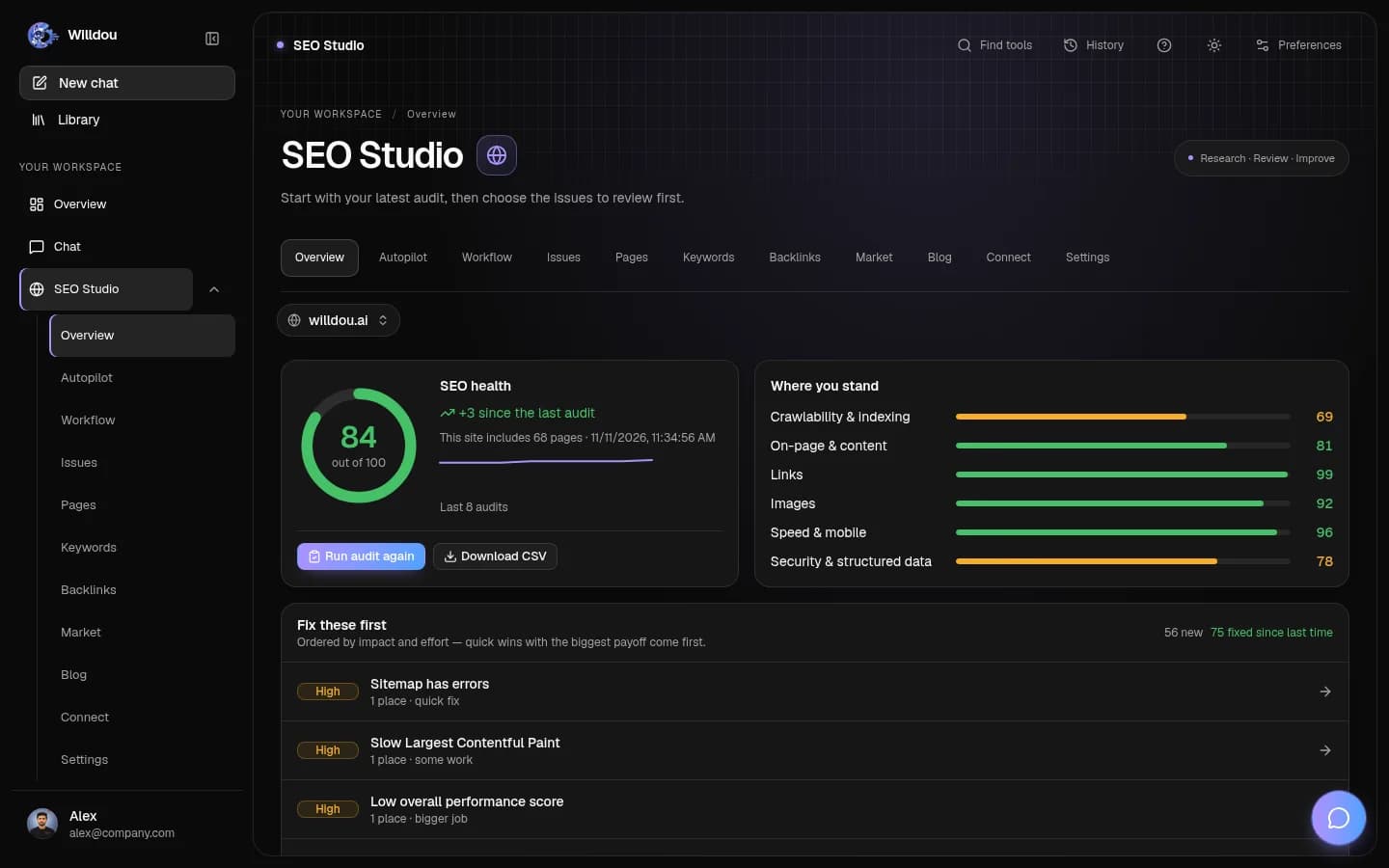
Willdou brings AI Chat, SEO Studio and Social Studio into one workspace, with a Free plan to begin. Check Pricing for current plan limits before you rely on a feature.
- Pick one SEO task, one content task and one social task to automate.
- Use free tiers first and upgrade only when a limit blocks real work.
- Document each workflow in a few lines so anyone can follow it.

3. Start with three simple workflows
Weekly site check: run an audit, review new issues and approve the fixes you agree with. Content pipeline: turn one researched topic into an article outline, a draft and several social posts. Social queue: schedule approved posts for the week.
Each workflow should have a trigger, an owner and a review point. Without an owner, automation quietly stops being checked.
4. Keep a human review step
Automation that publishes without review can spread mistakes at speed. Keep changes in a queue, check facts and links, and approve before anything goes live. In Willdou, proposed website fixes go to a review queue first.
Review does not have to be slow. A short checklist covering accuracy, tone and links takes a couple of minutes per item.
5. Control costs as you grow
Review subscriptions every quarter and cancel tools that overlap. Pay for higher limits only when a free tier genuinely blocks work, such as needing more websites or more frequent audits.
Measure outcomes you care about, such as hours saved, pages improved and leads, rather than the number of automations running.
Common questions
What should a small business automate first?
Repeatable, low-risk tasks such as weekly website checks, first drafts and social scheduling. Keep decisions and customer conversations with people.
Is cheap automation reliable enough?
It can be, if you keep a review step and monitor results. Reliability depends on process and permissions as much as on price.
Do I need to pay for SEO automation?
Not to start. Free tiers allow manual audits and planning; paid plans help when you need higher limits or more websites.
Sources and further reading
Tool availability depends on service configuration, connection permissions and your account plan. Check current plans.
Start with one useful task
Follow the screenshot guide and try these steps in your own workspace.