 Willdou
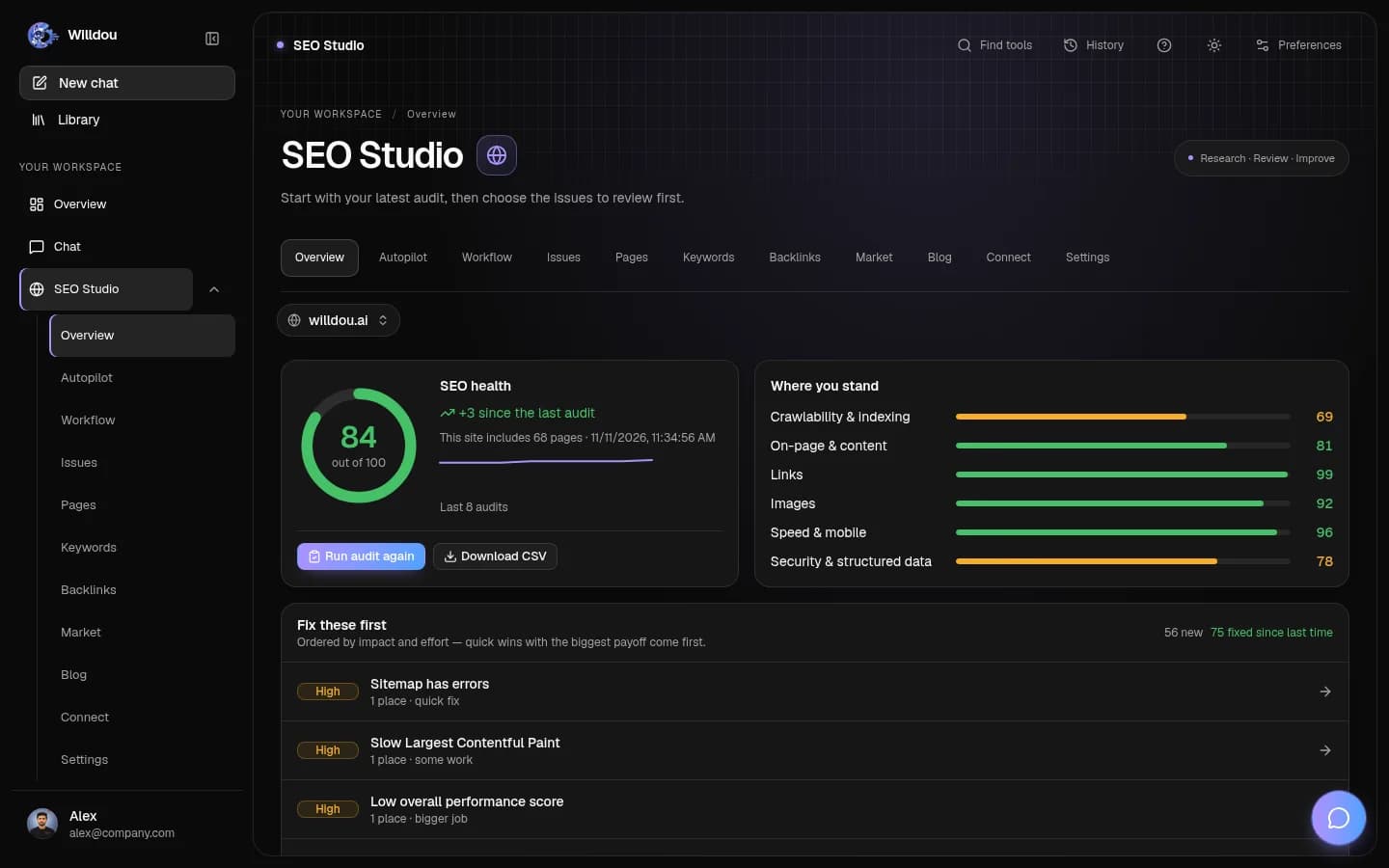
一步一步,清楚了解
跟着界面,找到下一步。
以下为本地文档工作空间的真实界面截图,显示英文按钮名称。空状态不会伪装成已完成任务;你的实际数据和可用功能取决于连接与部署配置。
Inspect schedules
点击位置:Choose SEO Studio, select a website, then open Settings.
接下来会看到:Review the current audit schedule and automation settings. A saved setting is not proof that a worker completed a run.
选择你的网站查看实际界面截图

Inspect schedules打开原图 Monitor work
点击位置:Open Workflow for the selected website.
接下来会看到:Inspect run states and errors. Confirm the connection and provider before retrying; do not repeatedly resubmit the same job.
选择你的网站查看实际界面截图

Monitor work打开原图 Review scheduled social content
点击位置:Choose Social Studio, then Calendar.
接下来会看到:Confirm the intended date, destination and content. Scheduled posts are separate from published posts.
打开此工具查看实际界面截图

Review scheduled social content打开原图
了解范围
当前自动化包括审核计划、SEO Auto 模式、连接级自动应用、自动博客及社交发布计划。它们不是通用拖拽式工作流程编辑器。
先手动验证
自动化需要有效连接、正确权限和运行中的后台工作进程。更改数据库或生产环境配置应由管理员处理。
- 连接并测试目标网站或账户。
- 先手动运行任务并检查结果。
- 只为需要的任务类型启用自动化。
- 确认频率、目标和修改范围。
监控与停止
查看审核、工作流程任务、修改记录和内容状态。Auto 模式与自动应用是不同设置:不要假设关闭一个会自动撤销已经写入的修改。
先关闭相关自动化,再调查异常。对已应用的网站修改,使用支持的撤销操作,并检查实际页面。
没有按计划执行
检查连接状态、令牌有效期、工作进程、队列及计划设置。社交计划由后台定期扫描,不保证精确到秒。Google 和平台分析可能晚于事件发生时间才可用。